OpenSwarm
A keyboard-first TUI for running parallel AI agents across Git worktrees
Get Started Features Keybindings GitHub
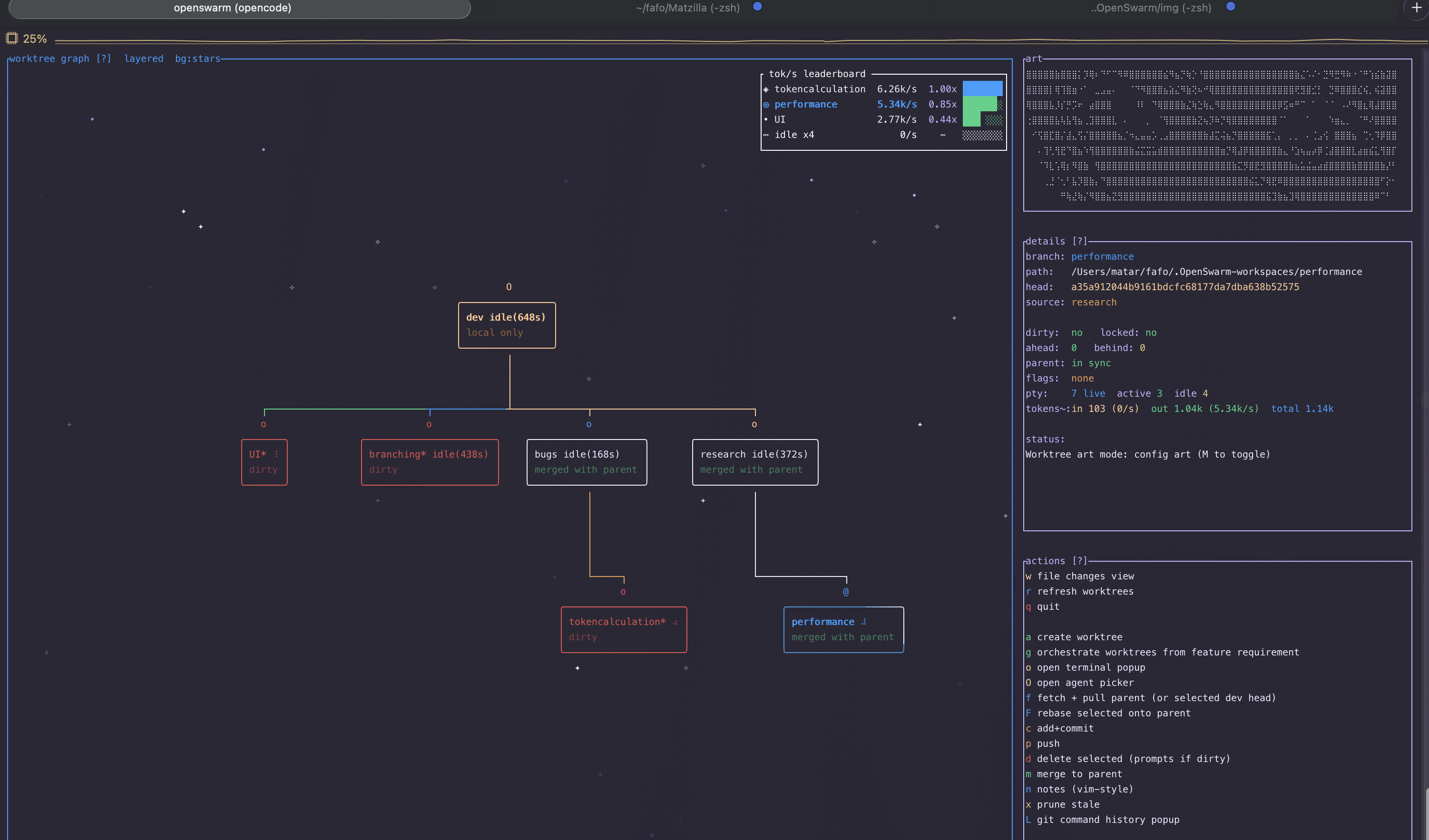
AI agents like Claude Code and OpenCode can handle longer tasks without supervision. Run 5-10 in parallel and your throughput multiplies. But each agent needs its own isolated working directory, and managing that with raw git worktree commands, separate terminal windows, and manual context switching is painful.
OpenSwarm gives you one screen to manage all of it: a visual worktree graph, embedded terminal sessions, inline staging and diffs, and one-key commits, pushes, and merges – without ever leaving the TUI.
The problem
Running parallel AI agents today requires juggling:
- Worktree lifecycle –
git worktree add -b feat ../repo.feat, thencd ../repo.feat, then remember to clean up later - Multiple terminals – one per agent, arranged across tmux panes or OS windows, constantly switching focus
- Status awareness – which agent is active? which branch has uncommitted changes? which is ahead of remote?
- Git operations – staging, committing, pushing, merging scattered across different shell sessions
This works for 2 agents. At 5+ it becomes unmanageable.
How OpenSwarm solves it
| Task | Plain git + terminals | OpenSwarm |
|---|---|---|
| Create worktree | git worktree add -b feat ../repo.feat && cd ../repo.feat | Press a, type branch name |
| Launch agent | Open new terminal, cd to worktree, run claude | Press O on the node |
| Check all status | cd to each worktree, run git status | Visible on the graph – dirty, ahead/behind, agent activity |
| Stage + commit | cd to worktree, git add, git commit | Press c, type message |
| Push branch | cd to worktree, git push -u origin HEAD | Press p |
| Merge to parent | cd to parent, git merge, resolve conflicts manually | Press m, agent-assisted conflict resolution |
| Monitor agents | Switch between terminal windows | See spinners and activity badges on every node |
| Review diffs | git diff per worktree | Press w for inline diff with method-level analysis |
Everything stays in one screen. No cd. No window switching. No lost context.
Docs
| Getting Started | Install, launch, first worktree + agent workflow |
| Features | Graph visualization, embedded terminals, diffs, conflict resolution |
| Keybindings | Complete shortcut reference by view and mode |
| Configuration | Config file, agent defaults, prompt templates |
| Comparisons | vs. Worktrunk, lazygit, tmux, plain git |
| FAQ | Why worktrees, supported agents, safety |